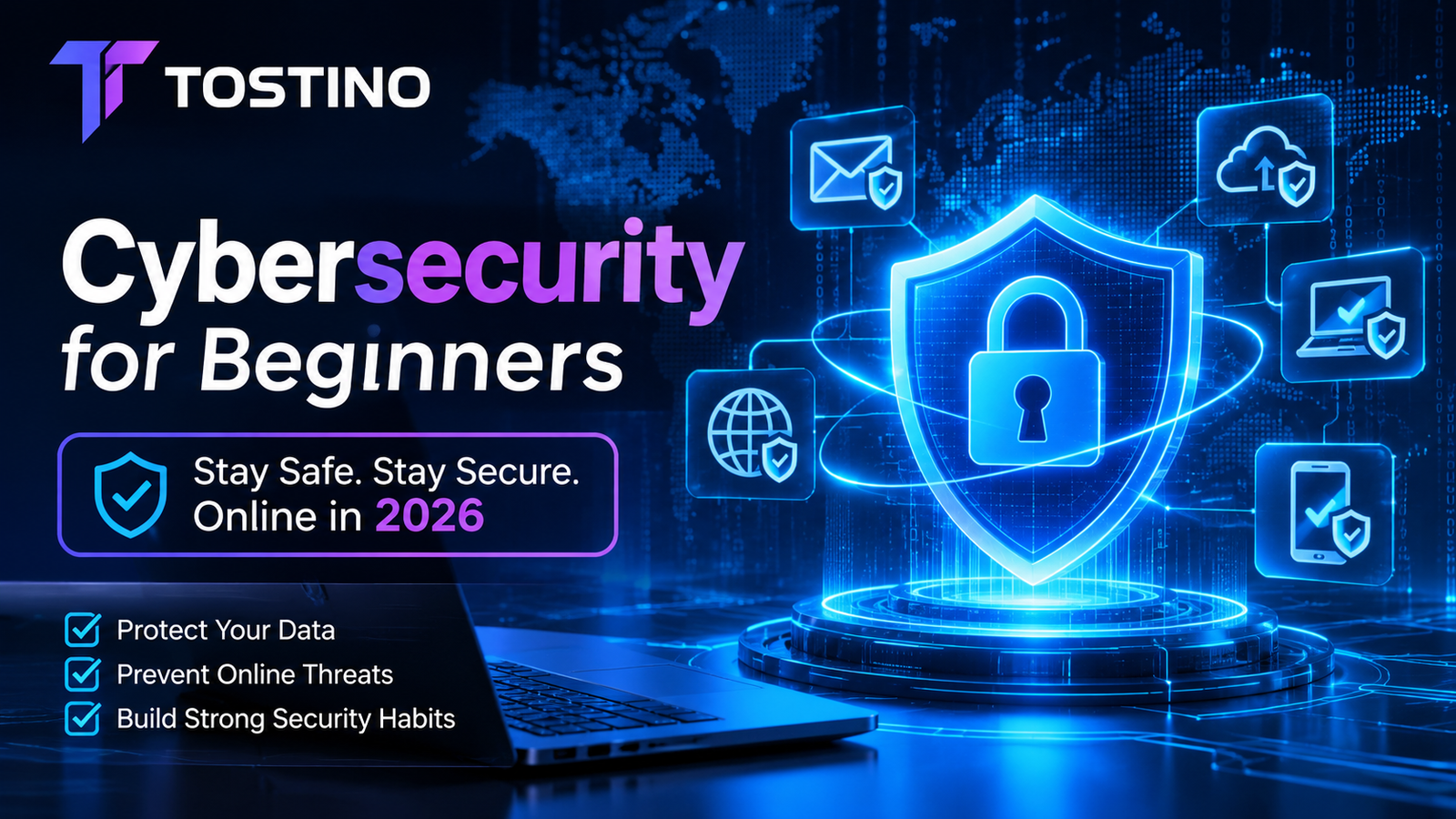

The internet has become an essential part of everyday life. People use it to communicate, shop, study, work, manage finances, operate businesses, store personal files, and access countless digital services. Organizations rely on connected systems to manage employees, customers, payments, inventory, and confidential information. Although these technologies provide enormous opportunities, they also introduce security risks that cannot be ignored.
Cybersecurity is the practice of protecting digital devices, networks, applications, accounts, and information from unauthorized access, disruption, damage, and theft. It is not limited to large technology companies or government organizations. Anyone who uses a smartphone, computer, email account, website, or online payment service has something worth protecting.
Cybercriminals do not always rely on sophisticated technical exploits. Many attacks begin with something surprisingly simple: a reused password, a deceptive email, an outdated application, an exposed administrator account, or an employee who accidentally shares confidential information.
Understanding these risks is the first step toward reducing them.
This comprehensive guide explains cybersecurity fundamentals for beginners in 2026. It explores common cyber threats, how attacks happen, practical security controls, password protection, phishing prevention, malware, network security, website protection, data privacy, incident response, and the cybersecurity habits individuals and businesses should develop.
Whether you are protecting a personal laptop, managing an online store, developing websites, or responsible for a small business network, the principles in this guide will help you make more informed security decisions.
1. What Is Cybersecurity?
Cybersecurity is the discipline of protecting digital systems and information against threats that could compromise their confidentiality, integrity, or availability.
These three objectives are commonly known as the CIA triad.
Confidentiality
Confidentiality means ensuring that information is accessible only to authorized people and systems.
Examples include:
- Preventing unauthorized users from reading private emails.
- Protecting customer payment information.
- Restricting access to business documents.
- Encrypting sensitive files.
- Preventing exposed databases from revealing personal information.
A confidentiality failure occurs when someone who should not have access obtains information they are not authorized to see.
Integrity
Integrity means maintaining the accuracy, completeness, and reliability of information.
For example, an attacker who changes a bank account number in an invoice, modifies a database record, or alters a website’s payment instructions has compromised data integrity.
Security controls such as access restrictions, audit logs, digital signatures, and integrity checks help protect information against unauthorized modification.
Availability
Availability means ensuring that systems and information remain accessible when legitimate users need them.
A website that becomes unavailable because of a denial-of-service attack has suffered an availability problem. A company that cannot access its files because ransomware has encrypted them faces the same fundamental issue.
Backups, redundancy, monitoring, recovery procedures, and resilient infrastructure help maintain availability.
Why all three objectives matter
A system can be secure in one dimension and vulnerable in another.
For example, a company might encrypt its customer database, protecting confidentiality, but have no tested backups. If the database becomes corrupted, availability and integrity may still be affected.
Effective cybersecurity considers the complete system rather than focusing on a single security product.
2. Why Cybersecurity Matters in 2026
Digital dependence continues to increase. Individuals use cloud storage, mobile banking, social networks, messaging applications, and connected devices. Businesses depend on websites, payment gateways, cloud platforms, email services, and third-party software.
Every additional account, application, integration, and connected device can introduce another potential point of failure.
Personal information has financial value
Personal information may include:
- Full names and contact details.
- Email addresses and phone numbers.
- Account credentials.
- Financial records.
- Identity documents.
- Location information.
- Private photographs.
- Medical or employment records.
Cybercriminals may use stolen information for identity fraud, account takeover, impersonation, extortion, or targeted scams.
Businesses face operational and financial risks
A cyber incident can cause more than a technical inconvenience.
Potential consequences include:
- Business interruption.
- Lost revenue.
- Recovery expenses.
- Customer notification costs.
- Legal and regulatory consequences.
- Reputational damage.
- Loss of confidential business information.
- Disruption to suppliers and customers.
Small businesses are not automatically protected because they have fewer employees or less revenue. Their limited resources can make recovery particularly difficult.
More connected technology creates more dependencies
Modern businesses may use cloud storage, analytics services, customer relationship management software, online payment providers, advertising platforms, remote access tools, and external development services.
If one account or integration is compromised, the consequences can extend beyond a single device.
Cybersecurity therefore requires an understanding of the complete digital environment, including the third-party services on which an organization depends.
3. How Cyberattacks Usually Happen
A cyberattack is not always a direct attempt to break into a server. Attackers may target people, software, credentials, infrastructure, or trusted relationships.
Understanding common attack paths makes it easier to recognize and prevent suspicious activity.
Social engineering
Social engineering manipulates people into performing actions that benefit an attacker.
Instead of exploiting a technical vulnerability, an attacker may pretend to be a bank employee, delivery company, colleague, technical support agent, or business executive.
The attacker may request a password, verification code, payment, document, or access to a computer.
Social engineering works because people often make decisions under pressure, especially when a message appears to come from a familiar or authoritative source.
Credential theft
Credentials include usernames, passwords, authentication tokens, and other information used to access accounts.
Attackers may obtain credentials through phishing pages, malware, leaked databases, password reuse, or compromised devices.
Once an attacker obtains valid credentials, they may be able to access an account without triggering traditional malware detection.
Exploiting software vulnerabilities
Applications and operating systems contain software components that may have security weaknesses.
If a vulnerability is discovered and an affected system is not patched, attackers may attempt to exploit it.
The risk depends on factors such as the vulnerability’s severity, exposure, available protections, and whether exploitation is occurring.
Misconfiguration
A system may use secure software but still be exposed because it has been configured incorrectly.
Examples include:
- Publicly accessible storage containing private files.
- Default administrator credentials.
- Excessive user permissions.
- Unrestricted administrative interfaces.
- Exposed database services.
- Insecure remote access.
- Incorrect cloud access policies.
Configuration reviews are an important part of security maintenance.
Insider-related risks
An insider is someone who already has legitimate access to an organization’s systems.
Insider incidents may be intentional or accidental.
An employee might send a confidential document to the wrong recipient, reuse a work password on a personal website, or unintentionally install malicious software.
Access controls, employee training, monitoring, and clear procedures help reduce these risks.
4. Common Types of Cybersecurity Threats
Cybersecurity includes many categories of threats. Some target individuals, while others focus on companies, websites, cloud infrastructure, or networks.
Phishing
Phishing is a form of social engineering in which attackers use deceptive messages to convince victims to reveal information, open malicious links, download harmful files, or authorize fraudulent actions.
Phishing messages may arrive through:
- Email.
- SMS messages.
- Social media.
- Messaging applications.
- Fake customer support conversations.
- Fraudulent websites.
A phishing message might claim that an account will be suspended unless the recipient verifies their password.
The message may include a familiar logo and convincing language, but the destination website may be controlled by an attacker.
How to reduce phishing risk:
- Verify unexpected requests through an independent communication channel.
- Inspect the actual destination of links before opening them.
- Avoid sharing passwords or one-time verification codes.
- Use multi-factor authentication.
- Report suspicious messages through the appropriate platform.
- Avoid opening unexpected attachments.
Modern phishing messages can be grammatically correct and professionally designed. Poor spelling is no longer a reliable way to identify every scam.
Malware
Malware is software designed to perform unauthorized or harmful activities.
It may steal information, monitor activity, disrupt systems, encrypt files, or provide unauthorized remote access.
Common malware categories include:
Viruses: Malicious code that attaches to other files or programs and may spread when those files are executed.
Worms: Malware capable of spreading between systems without requiring the same type of user action as many traditional viruses.
Trojans: Programs disguised as legitimate software that perform hidden malicious activities.
Spyware: Software that secretly collects information about a device or its user.
Keyloggers: Tools that record keystrokes, potentially capturing passwords and other sensitive information.
Ransomware: Malware that can encrypt files or disrupt access while attackers demand payment.
Remote access malware: Malicious software that may allow unauthorized remote control of a compromised system.
Ransomware
Ransomware is one of the most disruptive types of cyber threats.
An attacker may gain access through phishing, exposed services, stolen credentials, or vulnerable software. The malware may then encrypt important files and prevent normal access.
Some ransomware operations also steal information and threaten to publish it.
Paying a ransom does not guarantee that files will be restored or that stolen information will remain private.
Important prevention measures include:
- Maintaining tested backups.
- Applying security updates.
- Using multi-factor authentication.
- Restricting administrator permissions.
- Securing remote access.
- Monitoring unusual activity.
- Training employees to recognize suspicious messages.
A recovery plan should be prepared before an incident occurs.
Distributed Denial-of-Service attacks
A Distributed Denial-of-Service attack, commonly called DDoS, attempts to overwhelm a service with traffic or requests from multiple sources.
The goal is to make a website, application, or network unavailable to legitimate users.
Businesses may use traffic filtering, rate limiting, content delivery networks, specialized DDoS protection, and resilient infrastructure to reduce the impact.
Not every traffic spike is malicious. Monitoring and investigation are necessary before classifying an event as an attack.
Man-in-the-Middle attacks
A man-in-the-middle attack occurs when an attacker positions themselves between communicating parties or systems and attempts to intercept, manipulate, or observe their communication.
The risk can increase when users connect to untrusted networks, ignore certificate warnings, or use insecure communication methods.
HTTPS helps protect web traffic through encryption and authentication, but it does not make every website trustworthy.
Password attacks
Attackers may attempt to gain access by guessing passwords, using credentials leaked from other services, or exploiting weak authentication systems.
Common approaches include:
- Brute-force guessing.
- Dictionary-based guessing.
- Credential stuffing.
- Password spraying.
- Theft of stored credentials.
Unique passwords, rate limiting, multi-factor authentication, and secure password storage help reduce these risks.
SQL injection
SQL injection is a vulnerability that occurs when an application handles untrusted input in an unsafe way and allows it to interfere with database queries.
It may expose, modify, or delete data depending on the vulnerability and the application’s permissions.
Developers should use parameterized queries, safe database access libraries, input validation, and least-privilege database accounts.
Input validation alone is not a replacement for parameterized database operations.
Cross-Site Scripting
Cross-Site Scripting, or XSS, occurs when an application allows untrusted content to execute as script in another user’s browser.
Depending on the type of vulnerability, attackers may attempt to steal accessible information, manipulate page content, or perform actions within a victim’s authenticated session.
Developers should use context-aware output encoding, safe templating systems, appropriate sanitization for permitted HTML, and Content Security Policy as an additional protective measure.
Supply-chain attacks
A supply-chain attack targets a trusted supplier, software dependency, service provider, or update mechanism to reach another organization.
For example, an attacker might compromise a software package used by many applications.
Organizations should understand their software dependencies, review supplier security practices, monitor vulnerabilities, and control the permissions granted to external services.
5. Password Security: Protecting Your Digital Accounts
Passwords remain a common authentication method, even though they are frequently exposed through phishing, reuse, weak storage, and data breaches.
A strong password strategy is not simply about creating a complicated string. It is about making each account difficult to compromise independently.
Use long, unique passwords
Every important account should have its own password.
If a password is reused across multiple websites and one website suffers a data breach, attackers may attempt to use the same credentials elsewhere.
A long, unique password makes this type of attack less effective.
NIST’s current small-business cybersecurity guidance recommends long passphrases and encourages the use of password managers and passkeys where supported.
Use a password manager
A password manager stores and helps generate unique passwords.
It can reduce the temptation to reuse simple passwords or write them in insecure places.
Choose a reputable product, protect its main account with strong authentication, and understand its recovery process.
The password manager itself is an important account and deserves strong protection.
Enable multi-factor authentication
Multi-factor authentication (MFA) requires additional evidence of identity beyond a password.
Authentication factors commonly include:
- Something you know, such as a password.
- Something you have, such as a security key.
- Something you are, such as a fingerprint.
MFA can reduce the impact of a stolen password.
Where available, phishing-resistant methods such as hardware security keys or passkeys are preferable for important accounts.
An SMS verification code is generally better than relying on a password alone, but it is not as resistant to phishing and certain phone-number takeover attacks as stronger methods.
Never share verification codes
A person claiming to be technical support, a bank employee, or a platform representative may ask for a one-time code.
Do not provide authentication codes to someone who contacts you unexpectedly.
A verification code may be the final step an attacker needs to access an account.
Review active sessions
Many services allow users to view devices and sessions currently connected to an account.
Review this information periodically.
If you find an unfamiliar session, follow the provider’s account recovery guidance, terminate unauthorized sessions, change affected credentials, and review recovery settings.
6. Phishing Prevention: How to Recognize Suspicious Messages
Phishing is effective because it targets normal human behavior. Attackers often use urgency, fear, curiosity, financial incentives, or authority to influence a victim.
A message may claim:
- Your bank account has been suspended.
- A package cannot be delivered.
- Your website domain is about to expire.
- You have received an unexpected payment.
- Your email storage is full.
- A business invoice requires immediate payment.
- A security problem must be fixed through a provided link.
Check the sender carefully
Do not rely only on the display name.
Inspect the actual email address or account identifier. Attackers may use domains that resemble legitimate organizations.
Even a legitimate-looking address should not be treated as proof that a request is genuine.
Examine the destination URL
Before opening a link, inspect where it leads.
Look for misspellings, unexpected subdomains, unrelated domain names, and unusual redirects.
A website using HTTPS can still be fraudulent. HTTPS indicates an encrypted connection to the website, not that the website represents a trustworthy company.
Be careful with attachments
Unexpected attachments may contain malicious content or links to harmful downloads.
If a message is unusual, verify it with the sender using a communication method you already trust.
Verify financial requests independently
Business email compromise can involve attackers impersonating executives, suppliers, or financial departments.
A message may request an urgent bank transfer or claim that supplier payment details have changed.
Before transferring money or changing payment details, confirm the request using a previously verified telephone number or another independent channel.
Report phishing
Use the reporting tools provided by your email service, messaging platform, or organization.
Reporting suspicious messages helps security teams identify patterns and may protect other users.
7. Malware Prevention and Safe Software Practices
Malware can enter a device through malicious downloads, compromised websites, infected attachments, removable media, or exploited software vulnerabilities.
The safest approach combines prevention, monitoring, and recovery.
Download software from trusted sources
Use official vendor websites and reputable application stores.
Avoid modified installers, suspicious activation tools, unofficial software bundles, and downloads from unknown sources.
Before installing a program, confirm that it is the application you intended to download.
Keep applications updated
Software updates may include security fixes, stability improvements, and compatibility changes.
Enable automatic updates where appropriate and maintain a process for systems that require controlled updates.
Do not ignore security updates for browsers, operating systems, plugins, and applications exposed to the internet.
Use endpoint protection
Modern endpoint security products can help detect malicious files and suspicious activity.
Choose a reputable solution appropriate to the device and environment.
Security software should be maintained and updated, but it should not be treated as a replacement for safe behavior, access controls, and backups.
Limit administrator privileges
Use a standard account for everyday activities whenever practical.
Administrator privileges should be reserved for tasks that actually require them.
This reduces the potential impact of certain malicious programs and accidental system changes.
Avoid suspicious USB devices
Unknown removable drives may contain malicious files or exploit device behavior.
Do not connect unidentified storage devices to important systems.
Organizations should establish clear policies for removable media.
8. Network Security: Protecting Your Internet Connection
A network connects devices and enables communication between systems. Poorly secured networks can expose devices, data, and services to unauthorized access.
Network security includes protecting routers, wireless connections, remote access, and internal services.
Secure your Wi-Fi router
The router is an important part of a home or business network.
Basic security practices include:
- Change default administrator credentials.
- Install available firmware updates.
- Use modern wireless encryption supported by your devices.
- Disable unnecessary remote administration.
- Review connected devices.
- Replace unsupported equipment.
- Avoid exposing internal services unnecessarily.
Use WPA3 where supported, or an appropriate secure alternative when older devices require compatibility.
Use strong Wi-Fi credentials
Do not use easily guessed network passwords.
A guest network can help separate visitors’ devices from internal business devices.
For organizations, network segmentation can limit the ability of a compromised device to communicate with sensitive systems.
Understand public Wi-Fi risks
Public networks may be operated by unknown parties or configured incorrectly.
HTTPS protects the content of properly secured connections, but users should still be careful about unfamiliar networks and suspicious login pages.
Avoid disabling security warnings or installing unexpected certificates to gain access to a public hotspot.
Use a VPN appropriately
A Virtual Private Network creates an encrypted connection between a device and a VPN endpoint.
VPNs can be useful for remote access to organizational networks and for protecting traffic on untrusted local networks.
However, a VPN does not make a device immune to malware, phishing, account theft, or unsafe websites. It also does not automatically guarantee privacy from the VPN provider.
Choose services based on their security practices, business requirements, and privacy policies.
Restrict remote access
Remote administration services can create serious exposure if they are publicly accessible or poorly configured.
Use secure access methods, MFA, restricted permissions, logging, and network controls.
Disable remote access services that are not required.
9. Website Security: Essential Protection for Website Owners
Websites are valuable business assets. They may contain customer accounts, order records, personal information, payment integrations, business documents, and administrative functions.
A compromised website can expose users, redirect visitors, distribute malicious content, or interrupt business operations.
Website security should be considered during development, deployment, and maintenance.
Keep the website platform updated
Content management systems, plugins, themes, frameworks, and server components must be maintained.
Outdated components can contain known vulnerabilities.
Remove unused plugins and themes rather than leaving unnecessary code installed.
Before applying major updates, maintain a reliable backup and test changes in an appropriate environment.
Protect administrator accounts
Administrative accounts have access to sensitive website functions.
Use unique credentials, MFA where supported, and limited administrator access.
Avoid sharing one administrator account between multiple people.
Create individual accounts so activity can be attributed and access can be removed when someone leaves the project.
Use HTTPS correctly
HTTPS protects communication between a browser and a website through TLS.
It helps prevent unauthorized parties from easily reading or modifying data in transit.
However, HTTPS does not prevent every type of attack. A vulnerable application can still expose data even when every page uses HTTPS.
Maintain valid certificates and redirect HTTP traffic appropriately.
Validate and handle user input safely
Web applications receive input through forms, URL parameters, API requests, file uploads, and other interfaces.
Treat all external input as untrusted.
Important development practices include:
- Parameterized database queries.
- Context-aware output encoding.
- Appropriate input validation.
- Secure file upload handling.
- Server-side authorization checks.
- Safe error handling.
- Request size and rate limits where appropriate.
Client-side validation improves usability but must not replace server-side validation.
Protect against cross-site request forgery
Cross-Site Request Forgery (CSRF) can trick an authenticated user’s browser into sending an unwanted request to a website.
Appropriate defenses may include CSRF tokens, secure cookie settings, and checking request context.
The exact controls depend on the application architecture and authentication model.
Secure file uploads
File upload functions are common sources of application risk.
A secure upload process should consider:
- Allowed file types.
- File size limits.
- File content validation.
- Safe storage locations.
- Randomized file names.
- Malware scanning where appropriate.
- Execution restrictions.
- Authorization checks.
Do not trust a file merely because its name ends with an allowed extension.
Use secure session management
Authentication sessions should be handled carefully.
Use secure cookie attributes such as HttpOnly and Secure where appropriate, configure SameSite according to application needs, and regenerate session identifiers after authentication or privilege changes.
Expire sessions appropriately and provide a way to terminate active sessions.
Use security headers
Security-related HTTP headers can help reduce certain browser-based risks.
Depending on the application, useful controls may include:
- Content-Security-Policy.
- Strict-Transport-Security.
- X-Content-Type-Options.
- Referrer-Policy.
- Frame protection through appropriate CSP directives or related controls.
Headers should be tested before deployment because incorrect policies can break application functionality.
Back up the website and database
Website backups should include all essential components required for recovery.
Depending on the architecture, this may include:
- Application files.
- Database records.
- Uploaded media.
- Configuration files.
- Deployment information.
- Encryption or recovery keys stored securely.
Backups should be protected from unauthorized access and tested through actual restoration exercises.
10. Cloud Security and Protecting Online Accounts
Cloud services allow users and organizations to access data and applications through internet-connected infrastructure.
They can improve collaboration and reduce maintenance responsibilities, but they also introduce account, configuration, and access-management risks.
Understand the shared responsibility model
Cloud security responsibilities are divided between the cloud provider and the customer.
The provider may secure the underlying infrastructure, while the customer remains responsible for areas such as account permissions, data configuration, identity management, and application security.
The exact division depends on the service model.
Using a reputable provider does not automatically make every customer configuration secure.
Protect cloud administrator accounts
Cloud control panels may provide access to storage, applications, databases, billing, and infrastructure.
Protect these accounts with strong authentication and carefully controlled permissions.
Use separate accounts for routine work and high-privilege administration where supported.
Review sharing permissions
Files and folders may accidentally become publicly accessible.
Review sharing links, external collaborators, and inherited permissions.
Avoid granting broad access when a smaller permission scope is sufficient.
Monitor account activity
Review available sign-in and audit logs.
Investigate unusual login locations, unfamiliar devices, unexpected permission changes, and suspicious application authorizations.
Logging should be protected so that attackers cannot easily erase evidence of their activity.
11. Data Privacy and Personal Information Protection
Cybersecurity and privacy are related but not identical.
Cybersecurity focuses on protecting systems and information from threats. Privacy concerns how personal information is collected, used, shared, retained, and deleted.
A business can use strong security controls and still violate privacy expectations by collecting unnecessary information or using it in ways customers did not expect.
Collect only necessary information
Data minimization reduces the amount of information a business must protect.
Before collecting personal data, ask:
- Why is the information needed?
- Is it necessary for the service?
- How long should it be retained?
- Who needs access?
- Can the same purpose be achieved with less information?
Avoid collecting sensitive information simply because a form makes it possible.
Protect stored information
Use access restrictions, encryption where appropriate, secure storage, and retention policies.
Sensitive records should not be left in publicly accessible folders or shared with unnecessary users.
Understand privacy policies
A privacy policy should accurately explain relevant information practices, including collection, usage, sharing, retention, and applicable user rights.
The requirements vary by jurisdiction and industry.
Do not copy a generic policy without checking whether it reflects the actual business.
Secure personal devices
Phones and laptops may contain emails, documents, authentication applications, and private files.
Protect them with device locks, encryption where available, current software, and remote recovery or wipe capabilities where appropriate.
Avoid leaving unlocked devices unattended.
12. Cybersecurity for Small Businesses
Small businesses often have fewer security resources than large organizations. This does not mean they need to implement every enterprise security technology immediately.
A practical security program should begin with the systems and information most important to the business.
Identify critical business assets
Create an inventory of:
- Computers and mobile devices.
- Websites and domains.
- Email accounts.
- Cloud services.
- Customer databases.
- Financial systems.
- Payment services.
- Backups.
- Third-party integrations.
You cannot protect important assets consistently if you do not know where they are or who controls them.
Apply least privilege
Give users only the access required for their responsibilities.
A content editor may not need access to payment configuration. A developer may not need access to customer financial records.
Review permissions when responsibilities change.
Secure business email
Business email is frequently used for password resets, customer communication, invoices, and account verification.
Protect email accounts with MFA, unique credentials, and secure recovery settings.
Domain owners should also understand email authentication technologies such as SPF, DKIM, and DMARC. These mechanisms can help reduce certain forms of email domain spoofing when correctly configured.
They do not guarantee that every fraudulent email will be blocked.
Establish an update policy
Define how the business tracks and applies updates.
Prioritize internet-facing systems, actively exploited vulnerabilities, and critical software.
Keep a record of important systems and their maintenance status.
Train employees
Security training should explain realistic situations rather than simply telling employees to be careful.
Examples include:
- Recognizing suspicious payment requests.
- Reporting phishing attempts.
- Protecting authentication codes.
- Handling customer data.
- Using approved software.
- Reporting lost devices.
- Avoiding unauthorized file sharing.
Short, repeated training is often more practical than a single long presentation.
Prepare a written incident plan
The plan should identify:
- Who receives security reports.
- Who can disable compromised accounts.
- How affected systems are isolated.
- Where backups are stored.
- Who contacts suppliers and service providers.
- Which legal or regulatory contacts may be required.
- How customers will be informed when necessary.
A small organization can begin with a simple document and improve it as its operations become more complex.
13. Cybersecurity for Developers and IT Professionals
Developers have a direct responsibility to build systems that handle data and user actions safely.
Security should not be treated as a final feature added after the application has been completed.
Follow secure development practices
A secure development process includes:
- Understanding application requirements.
- Identifying sensitive assets and trust boundaries.
- Designing authentication and authorization.
- Handling input safely.
- Protecting secrets.
- Managing dependencies.
- Testing security controls.
- Reviewing changes.
- Monitoring production systems.
- Maintaining a vulnerability response process.
Never hardcode secrets in public code
API keys, database passwords, signing keys, and other credentials should not be placed in publicly accessible source code.
Use appropriate environment configuration or secret-management services.
Restrict access to secrets and rotate them when exposure is suspected.
Secure database access
Use parameterized queries and database accounts with limited permissions.
Avoid connecting an application using a database administrator account when a restricted account can perform the required operations.
Protect database backups and ensure that production databases are not exposed unnecessarily.
Review third-party dependencies
Applications often depend on external packages and libraries.
Track dependencies, monitor security advisories, and update vulnerable components.
Avoid installing unmaintained packages without understanding the risks.
Separate development and production environments
Testing should not unnecessarily expose real customer information.
Use separate environments and restrict access to production systems.
Avoid debugging configurations that reveal stack traces, database details, secrets, or internal paths to public visitors.
Log security-relevant events
Useful events may include:
- Authentication failures.
- Successful administrative logins.
- Permission changes.
- Password resets.
- Sensitive data exports.
- Configuration changes.
- Unusual API activity.
Do not log passwords, authentication tokens, or unnecessary personal information.
Logs should be protected against unauthorized access and modification.
14. Vulnerability Management and Security Testing
A vulnerability is a weakness that could be exploited to affect a system.
Vulnerability management is the process of identifying, prioritizing, fixing, and monitoring these weaknesses.
Identify exposed assets
Begin by understanding what systems are publicly accessible.
Examples include websites, web applications, remote access services, APIs, and cloud resources.
Maintain an accurate inventory and remove services that are no longer required.
Prioritize vulnerabilities by risk
Not every vulnerability presents the same level of risk.
Consider:
- Technical severity.
- Whether the system is exposed to the internet.
- Whether exploitation is known to occur.
- The sensitivity of affected data.
- Existing security controls.
- The business impact of compromise.
A vulnerability affecting a public-facing authentication system may require more urgent attention than a low-impact issue in an isolated test environment.
Use authorized security testing
Security testing should only be performed on systems you own or have explicit permission to assess.
Common activities include:
- Configuration reviews.
- Dependency scanning.
- Static application security testing.
- Dynamic application security testing.
- Controlled vulnerability assessments.
- Penetration testing under an agreed scope.
Testing without authorization can cause disruption and may violate laws or service agreements.
Follow responsible disclosure
If you discover a vulnerability in a third-party service, do not exploit it beyond what is necessary to establish the issue.
Follow the organization’s published security reporting process or coordinated vulnerability disclosure policy.
Provide clear technical information and allow the owner an appropriate opportunity to investigate and fix the problem.
15. Artificial Intelligence and the Changing Cybersecurity Landscape
Artificial intelligence is increasingly relevant to cybersecurity.
Security teams can use AI-assisted systems to analyze logs, classify suspicious messages, summarize alerts, identify unusual behavior, and support investigation.
At the same time, attackers may use AI tools to improve the quality and scale of deceptive messages or assist with certain malicious activities.
AI-assisted phishing
AI can help attackers create convincing messages with more natural language and personalized details.
This means users should not rely on spelling mistakes or awkward grammar as their primary phishing detection method.
The identity of the sender, the legitimacy of the request, and independent verification remain important.
Deepfakes and impersonation
Synthetic audio and video can be used to impersonate people.
A convincing voice or video should not be treated as sufficient proof of identity for sensitive actions.
Organizations should establish verification procedures for payments, account changes, and confidential requests.
AI in security monitoring
AI-assisted security tools may help identify patterns across large volumes of events.
However, automated systems can produce false positives, miss important activity, or misinterpret context.
Security professionals should validate significant findings before taking disruptive actions.
Protect AI systems and data
Organizations using AI applications should consider:
- What data is submitted.
- Whether sensitive information is retained.
- Who can access prompts and outputs.
- Whether connected tools can perform external actions.
- How AI-generated content is reviewed.
- Whether third-party integrations are trustworthy.
AI should be treated as another part of the organization’s technology environment, with appropriate security and privacy controls.
16. How to Respond to a Cybersecurity Incident
Even organizations with good security practices may experience incidents.
A response plan helps reduce confusion and improve recovery.
The exact steps depend on the incident, affected systems, legal requirements, and available expertise.
Step 1: Recognize and report the incident
Possible warning signs include:
- Unexpected account lockouts.
- Unknown administrator accounts.
- Unusual payment activity.
- Suspicious login notifications.
- Unexpected software installation.
- Unusual network traffic.
- Encrypted or missing files.
- Unexpected website changes.
Report the suspected incident through the appropriate internal or provider channel.
Step 2: Contain the problem
The goal is to prevent further damage.
Depending on the situation, this may involve disabling compromised accounts, revoking sessions, isolating affected devices, restricting network access, or temporarily disabling a vulnerable service.
Do not make changes that destroy important evidence without considering the investigation requirements.
Step 3: Preserve evidence
Keep relevant logs, timestamps, alerts, messages, and system information.
Avoid deleting suspicious files or resetting affected systems before the appropriate response team has assessed the situation.
For serious incidents, involve qualified incident response professionals.
Step 4: Investigate the cause
Determine:
- Which systems were affected.
- How the attacker gained access.
- Which accounts were compromised.
- What information may have been accessed.
- Whether the attacker still has access.
- Which vulnerabilities or configuration weaknesses contributed.
The investigation should identify both immediate damage and the underlying cause.
Step 5: Remove the threat and recover
Recovery may require:
- Resetting compromised credentials.
- Revoking stolen sessions and tokens.
- Patching vulnerable systems.
- Removing unauthorized accounts.
- Rebuilding affected devices.
- Restoring verified backups.
- Monitoring for renewed suspicious activity.
Do not assume that removing one malicious file completely resolves an incident.
Step 6: Communicate appropriately
Depending on the incident, affected customers, suppliers, regulators, or other parties may need to be notified.
Follow applicable legal and contractual requirements.
Communications should be accurate and should not speculate beyond the available evidence.
Step 7: Review and improve
After recovery, document what happened and identify improvements.
Update security controls, procedures, training, and monitoring based on lessons learned.
An incident should lead to a stronger security program rather than simply a return to the previous state.
17. A Practical Cybersecurity Checklist for Everyday Users
You do not need to be a security specialist to improve your personal protection.
Start with these practical habits.
Account security
- [ ] Use unique passwords for important accounts.
- [ ] Use a reputable password manager.
- [ ] Enable MFA on email and financial accounts.
- [ ] Use passkeys or security keys where supported.
- [ ] Review account recovery methods.
- [ ] Check active sessions periodically.
- [ ] Never share one-time verification codes.
Device security
- [ ] Keep operating systems updated.
- [ ] Update browsers and applications.
- [ ] Use a screen lock.
- [ ] Enable device encryption where available.
- [ ] Install applications from trusted sources.
- [ ] Remove unused applications.
- [ ] Maintain appropriate security software.
Online safety
- [ ] Verify unexpected messages.
- [ ] Inspect suspicious links.
- [ ] Avoid unknown attachments.
- [ ] Use secure websites for sensitive transactions.
- [ ] Avoid sharing unnecessary personal information.
- [ ] Review privacy settings.
- [ ] Be cautious with public Wi-Fi.
Data protection
- [ ] Back up important files.
- [ ] Protect external storage.
- [ ] Test backup restoration.
- [ ] Secure personal documents.
- [ ] Review cloud sharing permissions.
- [ ] Keep recovery information accessible.
18. A Cybersecurity Checklist for Website Owners
Website owners should protect both the application and the infrastructure supporting it.
Website administration
- [ ] Remove unused administrator accounts.
- [ ] Enable MFA where supported.
- [ ] Use unique administrator passwords.
- [ ] Limit user permissions.
- [ ] Monitor administrative activity.
- [ ] Protect password reset functionality.
Application security
- [ ] Update the CMS, framework, plugins, and themes.
- [ ] Remove abandoned extensions.
- [ ] Use parameterized database queries.
- [ ] Validate input on the server.
- [ ] Encode output appropriately.
- [ ] Protect file uploads.
- [ ] Configure secure sessions.
- [ ] Avoid exposing sensitive error messages.
Server and infrastructure
- [ ] Restrict remote access.
- [ ] Use secure server configuration.
- [ ] Protect database credentials.
- [ ] Keep server software updated.
- [ ] Monitor important logs.
- [ ] Use appropriate firewall controls.
- [ ] Maintain reliable backups.
- [ ] Test disaster recovery.
Customer data
- [ ] Collect only necessary information.
- [ ] Restrict access to customer records.
- [ ] Protect sensitive data.
- [ ] Review third-party integrations.
- [ ] Publish accurate privacy information.
- [ ] Establish a data retention process.
19. A 30-Day Cybersecurity Improvement Plan
Improving security can feel overwhelming when there are many devices, accounts, and services to protect.
A structured plan makes the process more manageable.
Week 1: Protect your most important accounts
Focus on identity and authentication.
Actions:
- Secure your primary email account.
- Enable MFA on important accounts.
- Replace reused passwords.
- Set up a password manager.
- Review account recovery information.
- Remove unfamiliar sessions.
- Check administrator accounts.
Goal: Reduce the risk of account takeover.
Week 2: Secure devices and networks
Focus on the technology you use every day.
Actions:
- Install operating system updates.
- Update browsers and applications.
- Review device security settings.
- Secure your Wi-Fi router.
- Change default router credentials.
- Remove unused software.
- Review connected devices.
Goal: Reduce exposure to common device and network threats.
Week 3: Protect data and websites
Focus on information and services.
Actions:
- Back up important files.
- Test a backup restoration.
- Review cloud sharing permissions.
- Update website software.
- Remove unused plugins.
- Review website administrator access.
- Verify server and database configuration.
Goal: Improve protection and recovery capability.
Week 4: Prepare for suspicious activity
Focus on detection and response.
Actions:
- Learn common phishing indicators.
- Review account activity notifications.
- Identify important security contacts.
- Document what to do if an account is compromised.
- Review available system logs.
- Create a simple incident response checklist.
- Schedule regular security reviews.
Goal: Make it easier to recognize and respond to security incidents.
20. Cybersecurity Myths Beginners Should Stop Believing
Misunderstandings can create a false sense of security.
Myth 1: Small websites are not targets
Small websites can be targeted because they may have weak configurations, outdated software, or valuable resources.
Automated attacks can scan large numbers of systems without selecting each victim individually.
Myth 2: Antivirus software blocks every threat
Endpoint protection is useful, but no security product can guarantee that every attack will be prevented.
Safe behavior, updates, authentication, backups, and access controls remain necessary.
Myth 3: HTTPS means a website is safe
HTTPS encrypts communication between the browser and the website. It does not prove that the website owner is honest or that the application is secure.
Fraudulent websites can also use HTTPS.
Myth 4: A strong password is enough
A password may be stolen through phishing or exposed in a breach.
MFA, secure recovery settings, and account monitoring provide additional protection.
Myth 5: Backups are unnecessary if files are stored in the cloud
Cloud synchronization is not always the same as an independent backup.
Accidental deletion, ransomware synchronization, account compromise, or provider problems may affect synchronized files.
Maintain appropriate backups and test restoration.
Myth 6: Cybersecurity is only an IT responsibility
Every person who uses a device, handles customer information, or approves a payment can influence security.
Technology controls and human behavior must work together.
Myth 7: Security requires expensive tools
Many essential improvements are inexpensive or built into existing services.
Strong authentication, updates, access reviews, secure configuration, and reliable backups can significantly improve protection.
21. Useful Cybersecurity Frameworks and Learning Resources
Beginners can benefit from established security frameworks rather than inventing their own security process.
NIST Cybersecurity Framework 2.0
The NIST Cybersecurity Framework 2.0 provides a structured approach to managing cybersecurity risk.
Its six core functions are:
- Govern: Establish and monitor cybersecurity strategy, responsibilities, and expectations.
- Identify: Understand assets, systems, data, and risks.
- Protect: Implement safeguards that reduce cybersecurity risk.
- Detect: Identify potentially harmful events.
- Respond: Take action when cybersecurity incidents occur.
- Recover: Restore services and improve resilience.
The framework can be adapted to organizations of different sizes and levels of maturity.
OWASP
The Open Worldwide Application Security Project (OWASP) provides educational resources and security guidance for application developers.
The OWASP Top 10 highlights important categories of web application security risks.
It is a useful learning resource, but it should not be treated as a complete application security testing program.
CISA
The Cybersecurity and Infrastructure Security Agency provides security guidance, alerts, and resources for individuals and organizations.
Its materials can help businesses understand common threats, improve basic defenses, and prepare for incidents.
National Cyber Security Centre
The UK’s National Cyber Security Centre provides practical advice on account security, device protection, backups, phishing, and small-organization security.
Its resources are useful for readers who want straightforward recommendations without needing advanced technical knowledge.
22. How to Start Learning Cybersecurity as a Beginner
Cybersecurity includes many specializations. You do not need to master everything at once.
A structured learning path can help you develop the foundational knowledge required for more advanced topics.
Learn computer fundamentals
Start with:
- Operating systems.
- Files and permissions.
- Processes and services.
- Basic command-line usage.
- Software installation and updates.
- Storage and memory concepts.
Understanding how computers work makes security concepts easier to understand.
Study networking
Learn the basics of:
- IP addresses.
- DNS.
- HTTP and HTTPS.
- TCP and UDP.
- Ports.
- Routers and switches.
- Firewalls.
- Network segmentation.
Networking knowledge is essential for understanding how systems communicate and where security controls operate.
Understand authentication and access control
Study passwords, MFA, sessions, permissions, identity management, and authorization.
Learn the difference between authentication, which verifies identity, and authorization, which determines what an identity is allowed to do.
Learn basic programming
Programming knowledge can help you understand how applications process data and where security weaknesses may appear.
Useful starting languages depend on your goals. Python is commonly used for automation and scripting, while JavaScript, PHP, Java, and other languages are relevant to application security.
Study web application security
Understand common web technologies and risks such as:
- SQL injection.
- Cross-Site Scripting.
- Cross-Site Request Forgery.
- Broken access control.
- Authentication weaknesses.
- Insecure file uploads.
- Security misconfiguration.
Use intentionally vulnerable training environments and authorized laboratories.
Never practice against systems you do not own or have permission to test.
Develop a defensive mindset
Learn to think about:
- What assets need protection?
- Who should have access?
- What could go wrong?
- How would an incident be detected?
- How would the organization recover?
- What evidence should be preserved?
Cybersecurity is as much about structured risk management as it is about technical knowledge.
23. The Future of Cybersecurity
Cybersecurity will continue to evolve as technology, business models, and attacker techniques change.
Several areas are likely to remain important.
Identity-centered security
Organizations increasingly need to protect identities rather than assuming that someone inside a network is automatically trustworthy.
Identity verification, MFA, device security, and least-privilege access are central to this approach.
Zero Trust architecture
Zero Trust is a security approach based on continuously evaluating access rather than trusting users or devices simply because they are connected to an internal network.
It emphasizes identity, device posture, access policies, and resource-specific permissions.
Zero Trust is not a single product. It is an architectural approach that requires multiple coordinated controls.
Cloud and API security
As applications rely on cloud services and APIs, organizations must manage access permissions, secrets, service identities, data flows, and third-party dependencies.
Poorly protected APIs can expose important business functions and information.
Software supply-chain security
Organizations will continue to need better visibility into the software components and services they depend on.
Dependency management, secure development, signing, provenance, and supplier risk management can help reduce supply-chain exposure.
Post-quantum cryptography
Advances in quantum computing may eventually affect some widely used public-key cryptographic systems.
Post-quantum cryptography aims to provide cryptographic algorithms designed to resist attacks from both classical and sufficiently capable quantum computers.
Organizations should monitor standards and migration guidance, especially when protecting information that must remain confidential for many years.
Security automation
Automation can help security teams process alerts, apply consistent controls, and respond to routine events.
However, automated actions need clear permissions, testing, monitoring, and human oversight for high-impact decisions.
Privacy and regulation
Organizations will continue to face expectations and legal requirements related to personal information, transparency, retention, and security.
Businesses should understand the rules that apply to their customers, locations, and industries.
Conclusion: Cybersecurity Starts With Consistent Habits
Cybersecurity is not a one-time installation or a product that guarantees complete protection. It is an ongoing process of understanding risk, applying appropriate safeguards, monitoring systems, and preparing to recover when something goes wrong.
Beginners do not need to start with advanced